Creating directories
You can practice the taught commands on the command line at the bottom of the page. Execute the given tasks on the same command line.
Next, we will practice working with directories. Let's start by creating a new directory using the *mkdir-*command. The command comes from the words make directory, which literally means create a directory.
1mkdir directoryIn the image below, we created a new directory named "harjoitus" and ensured that it was successfully created using the ls command.

It is also possible to create multiple directories by giving them consecutively to the mkdir command.
1mkdir direcotry1 direcotry2 directory3In the image below, we created two new directories and verified that they were created successfully.

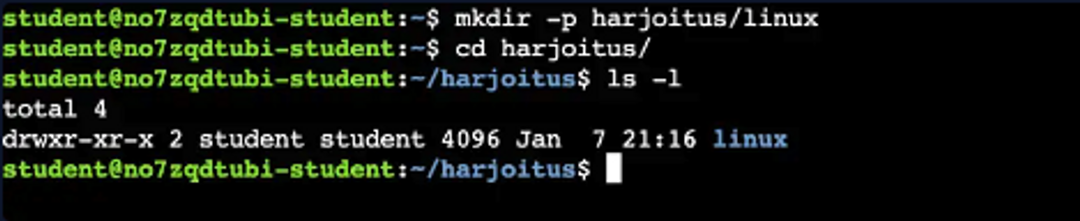
It is also possible to create new directories nested by giving the mkdir- command the -p - switch.
1mkdir -p directory1/directory2/directory3In the image below, we created two nested directories and confirmed the successful execution of the command by running the ls command from inside the first directory.
Learn to hack — start here
Hundreds of interactive courses, virtual labs and CTF challenges in your browser. Start a free trial — no card required.