XSS in file uploads - HTML
In this module, we exploit the existing XSS vulnerability in the exercise target, so you can start the task below and repeat the steps at your own pace.
File uploading as a functionality is complex and can lead to many vulnerabilities if everything is not taken into account. The ability to upload personal files into the system is often one of the most interesting things to test when testing websites. There are many approaches to file uploading and many things can lead to different vulnerabilities if everything is not taken into account. In this module, we will examine the kind of XSS vulnerabilities that can occur when the application allows dangerous file types and does not handle the file appropriately.
Finding Vulnerabilities
We will start by examining the application by transferring a simple TXT file and see how the application handles the file. We want to understand, among other things, how the file transfer is performed and whether the file can be accessed from within the application.
We transferred a file named test.txt to the application and the application created a link to the file on the page.

The application received the TXT file we provided and created a link to the file on the page. When navigating to the link, the application returns the file to the browser in the following way.

**Content-Disposition **header can inform the browser that a particular resource must be downloaded as a file instead of being displayed as its own page in the browser. Since the application does not return this, the browser executes and displays the file in the manner described above, as its own page. This can lead to serious vulnerabilities depending on the file types allowed by the application. Next, we will try to transfer an HTML file to the application and see if this is allowed. We create a new file, add HTML code to it, and transfer this to the application.
1<h1>Hey everybody!</h1>The application allows HTML files and returns them as their own page in the browser.

We will double-check that our file may contain JavaScript code, and that the application is vulnerable to XSS attacks. We will add JavaScript code to the file and transfer it to this application.
1<h1>Hey everybody! </h1><script>alert('xss')</script>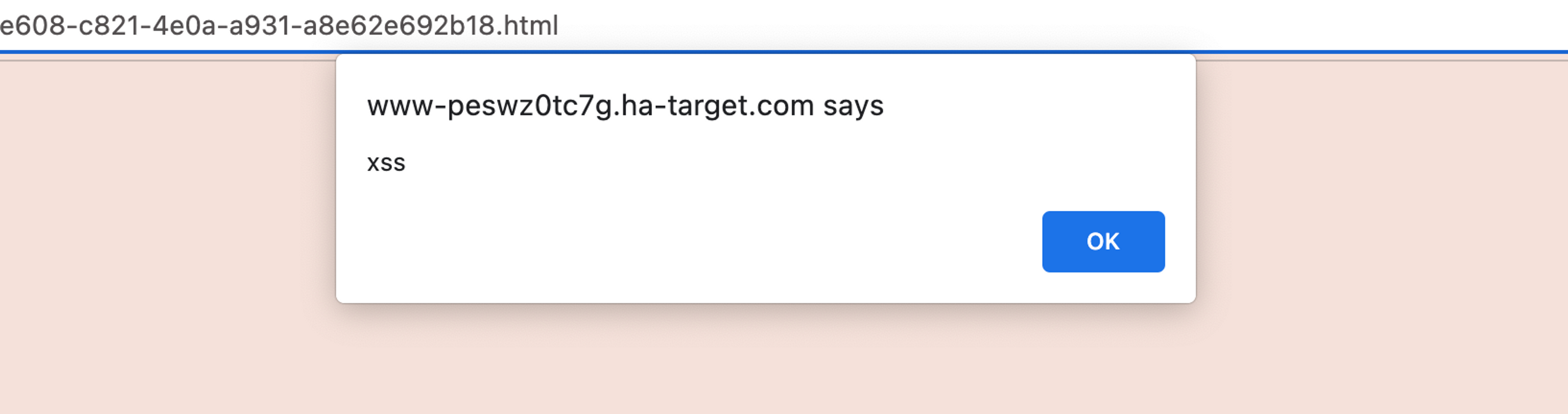
Learn to hack — start here
Hundreds of interactive courses, virtual labs and CTF challenges in your browser. Start a free trial — no card required.