03BurpSuite - Community
BurpSuite - Scope
Easy5MIN
One of the most important features of Burp is defining the Scope. So when you perform a cybersecurity test and want to focus only on one or a few targets, you can set these targets in the so-called Scope. This means that Burp understands these targets to be of interest to us, and then, for example, the Proxy tool does not interrupt or touch targets outside of this Scope.
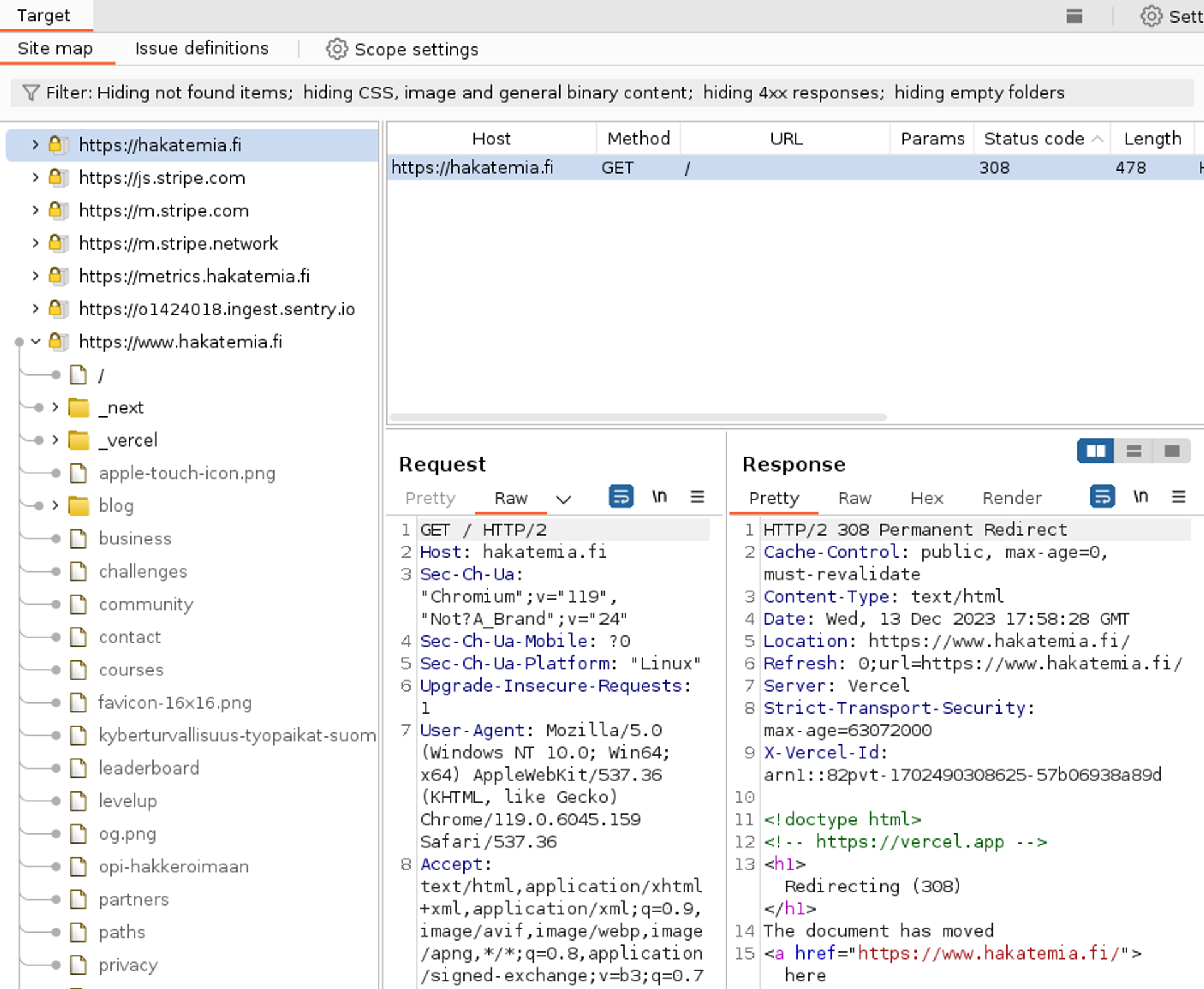
Defining the scope is relatively simple. You can choose In-Scope for any HTTP request. You can also open the Target window and select an item to set it as In-Scope.
You can open the Target window in Burp Suite Community by selecting View -> Target.
1 / 2
Hakatemia Pro
Learn to hack — start here
Hundreds of interactive courses, virtual labs and CTF challenges in your browser. Start a free trial — no card required.