X11 Forwarding and SSH tunneling (port forwarding)
In this module, we will go through how to open GUI-based applications such as a browser over an SSH tunnel. We will also cover how to create tunnels to other target servers through SSH for ports that may not be directly open to us.
Let's start by launching the exercise task below and repeating the steps below.
Using X11 Forwarding
When enabling X11 Forwarding via SSH, you can run graphical applications on a remote server, but their user interface is displayed and controlled locally. This allows, for example, the use of programs that require a graphical user interface, such as text editors, image processing programs, or graphical applications.
Checking X11 Forwarding Configuration
In order to use X11 Forwarding, it must be enabled in the SSH service. Let's check this by logging into the server via SSH and opening the SSH configuration file with the 'nano' program.
*SSH service configuration file can be found at path */etc/ssh/sshd_config.
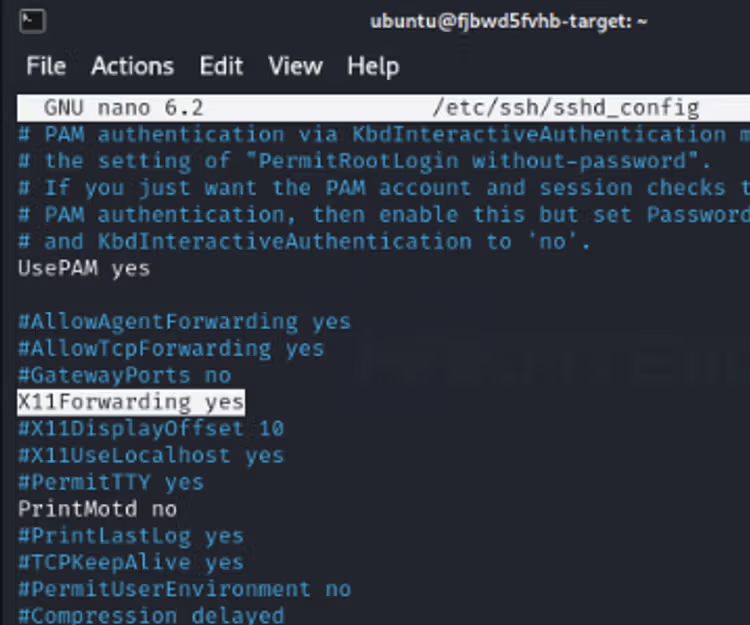
Using X11 Forwading
Now that we know that this is enabled and supported, we can try to launch the nautilus program so that its interface opens on our Kali machine even though the process itself is running on a remote machine.
In order for the user interface to be carried through an SSH tunnel, you must create an SSH connection using the -X flag, as shown in the example below. After that, you can simply launch the nautilus program by typing the command nautilus.
1ssh -X [email protected]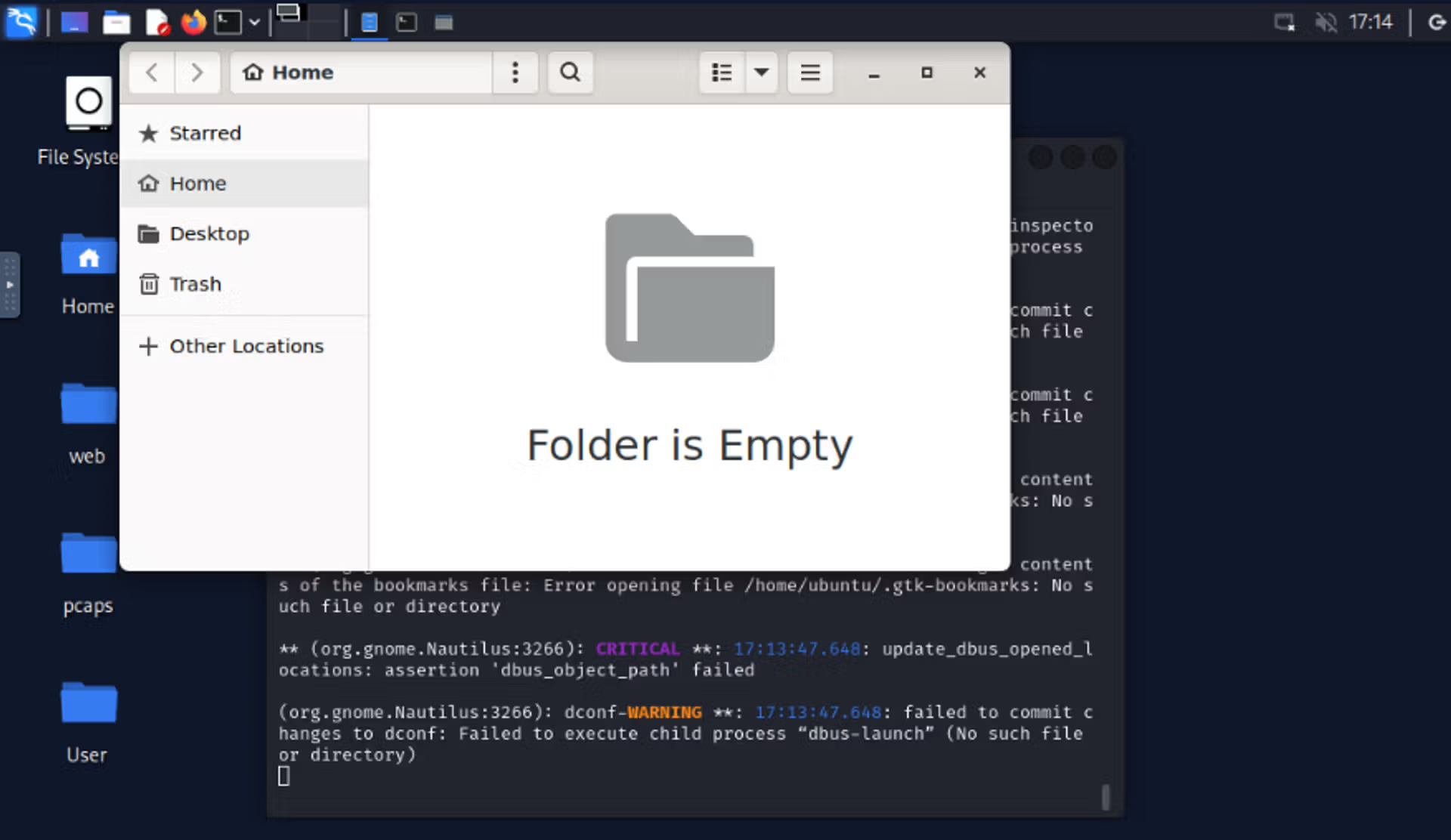
Learn to hack — start here
Hundreds of interactive courses, virtual labs and CTF challenges in your browser. Start a free trial — no card required.